At 06:13 UTC on 15 October, an application called ConnectWise Cloud Backup started signing in to Microsoft 365 tenants from 144.172.64[.]128, an address on a hosting provider. By 08:34 it had collected Microsoft Graph tokens across a long list of customer environments, moving from one tenant to the next a few seconds apart. Huntress, which reported the timeline, noticed something odd about the order: the tenants were hit in sorted GUID sequence. Nobody browses like that. A script works through a list like that.
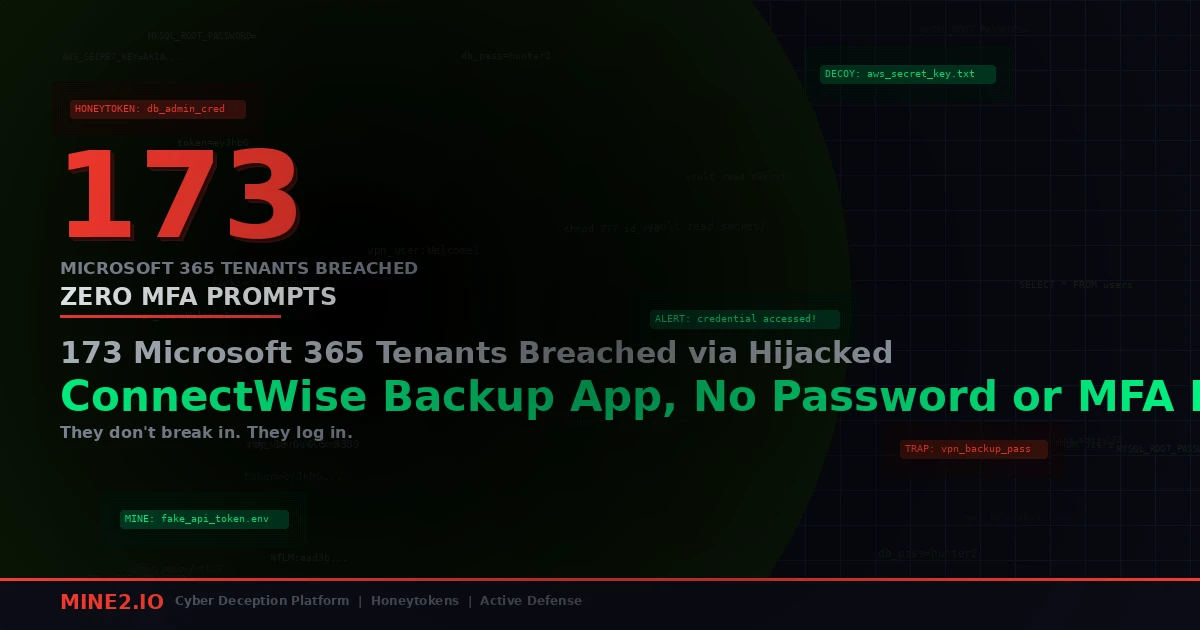
Huntress had confirmed unauthorized sign-ins in 162 tenants by the evening of 16 October. By 17 October, The Hacker News put the count at 173 partner and customer tenants, and ConnectWise had switched Cloud Backup access off for everyone "until further notice." Microsoft is calling it an active supply chain attack against a trusted OAuth app.
Here's the part that should keep you up tonight. Not one of those 173 sign-ins involved a user password. Not one triggered an MFA prompt. The attacker never logged in as a person at all. They logged in as the backup product.
What actually got stolen
The app in question is the product formerly sold as SkyKick Backup, app ID 506e08f9-6e9a-4da4-942b-a099a03644ae. ConnectWise bought SkyKick and rebranded it, so older tenants may still show SkyKick names in Entra. Whoever got into it held a credential for the application's identity: reporting describes a client secret or client credential, and some of the activity used certificate-based client assertion. ConnectWise's own advisory describes "unauthorized access to application identities" and hasn't said how the credential was obtained.
This is how a multi-tenant SaaS app works in Microsoft 365. The vendor owns one app registration in its own tenant. Each customer consents to it, which creates a service principal in the customer tenant carrying whatever permissions the admin approved. When the vendor's backend wants to back up your mailboxes, it authenticates with its credential, asks Entra for a token scoped to your tenant, and gets one. That's the app-only client credentials flow. There's no user in the loop, so there's nothing for MFA or user Conditional Access to challenge.
A backup app has to read everything to do its job. Todyl, which separately detected the rogue authentication, said the access inherited read and write rights to mail and attachments (full mailbox access through Exchange Web Services), OneDrive and SharePoint files, and Teams chats, plus the ability to restore data. Microsoft said the actor likely abused permissions customers had granted, including Directory.ReadWrite.All.
So one stolen vendor secret became a pre-approved skeleton key for every tenant that had ever clicked "Accept" on that consent screen.
The backdoor step is the real story
Mass sign-ins with a stolen app credential would be bad enough. What the attacker did next is worse, and it's the detail I'd build detections around.
According to Huntress and SpecterOps, follow-on activity included Graph reconnaissance and attempts to add new credentials to the related service principal in target tenants. In at least one partner tenant, a second ConnectWise application, the Cloud Management app for Microsoft Teams (24205314-2b89-4e07-a2a4-579e898a5640), added itself to the Global Administrator role. It then ran a Python script, user agent Python-urllib/3.12, that added fresh client secrets to an MSP management app and to Huntress's own app in that tenant.
Read that again. The attacker planted credentials on the security vendor's application. That's persistence designed to survive ConnectWise rotating its secrets. When the vendor fixes its side, the attacker still holds keys to apps the customer trusts for other reasons, and those keys live in the customer's tenant, not ConnectWise's.
This is the same pattern we covered in Storm-3168's seven-minute run through 100 Azure storage accounts: once you hold one service principal with write rights over the directory, the cheapest durable move is to mint secrets on other service principals. Nobody reviews them. Nobody owns them.
Four things this breach proved wrong
Teams trying to answer "were we hit?" keep running into the same wrong assumptions. Here they are.
"We'd have seen it in the sign-in logs"
Probably not, because you were looking at the wrong tab. The default view in Entra's sign-in logs shows interactive user sign-ins. App-only authentication lands under Service principal sign-ins, a separate tab. Huntress and SpecterOps both point responders there, filtered by the app ID. If your SIEM ingests only SignInLogs and not ServicePrincipalSignInLogs, those 06:13 to 08:34 sign-ins never reached you.
It gets worse. Huntress noted that some directory reads through Graph leave no audit trail at all unless Microsoft Graph activity logs are switched on. Most tenants I look at have never enabled them. So the reconnaissance phase of this attack, the part where the actor learns which other apps and admins exist, may be invisible after the fact.
"Revoking sessions and resetting passwords will clean it up"
There are no user sessions to revoke. Todyl spelled it out: revoking user sessions doesn't end this access. Disabling the app in your tenant stops new tokens, but tokens already issued stay valid for up to 90 minutes. Password resets do nothing because no password was involved.
And if the attacker reached the backdoor step in your tenant, disabling the ConnectWise app does nothing about the new secrets now sitting on your other applications. You need to audit every app registration and service principal for credentials added since 13 October. SpecterOps recommends exactly that, plus running AzureHound to map which paths lead from ConnectWise service principals to Tier Zero.
"We stopped using that product, so we're fine"
Dormant consents are still consents. If someone onboarded SkyKick Backup in 2022 and the MSP relationship ended, the service principal and its grants usually stay in the tenant. Responders are telling customers to disable the app in every tenant where it's installed, including inactive ones. The tech-insider.org summary of the incident flagged "an unknown, possibly larger pool of exposed tenants, including dormant installs." The 173 figure counts confirmed sign-ins. It's not a ceiling.
I'd go further. Pull a list of every enterprise application in your tenant with a publisher outside your org and application permissions (not delegated) that include Mail.Read, Files.Read.All, Directory.ReadWrite.All or anything ending in .All. In my experience, that list is always longer than anyone expects, and a fair chunk of it belongs to vendors you no longer pay. We wrote about the same problem from the other direction in the Chilean password spray that skipped every employee: the identities nobody owns are the ones attackers pick first.
"ConnectWise found no evidence backup data was touched, so the data's safe"
ConnectWise says it found no evidence that Cloud Backup partner backup data was compromised. That's a statement about the backup archives on ConnectWise's side. It isn't a statement about your live tenant. The tech-insider.org summary notes ConnectWise also said its investigation couldn't determine whether individual live tenants saw unauthorized activity beyond the confirmed sign-ins.
The token the attacker held could read your live mailboxes directly through Graph and EWS. Whether it did is something only your logs can answer, and as covered above, your logs might not have it.
The quiet warm-up nobody connected
One more detail from The Hacker News coverage. On 13 and 14 October, the same IP address, 144.172.64[.]128, password-sprayed four law firm tenants. Huntress saw no successful user sign-ins from that spray.
That's two days of a single hosting IP failing against user accounts, followed by a scripted, successful run as a trusted application. If you had that IP on a watchlist from a failed spray, you'd have had about 24 hours of warning. Almost nobody did, because failed sprays against other people's tenants don't generate tickets in yours. Huntress also flagged a possible pattern of targeting tenants whose names start with "A", which fits a sorted list being worked from the top down. If your tenant name starts with an early letter, check first.
Where deception fits, and where it doesn't
I want to be honest about an edge case here, because I've watched people get this wrong.
The instinct after an incident like this is to drop canary documents into SharePoint and decoy mailboxes into Exchange, then alert when something reads them. Against a hijacked backup app, that plan produces garbage. A legitimate backup service reads every mailbox and every file, every night. Your canary fires on the vendor's normal 02:00 job, your team learns to ignore it within a week, and the night the attacker reads it, nobody looks. Reads are the wrong tripwire when the identity you're watching is supposed to read everything.
Watch for use and change instead. Three tripwires hold up here:
- A decoy app registration that nothing legitimate ever touches. Give it a believable name, something like
MSP-Automation-Syncor a security-tool lookalike, and make its permissions look valuable in the directory. No real process ever adds a secret to it, assigns it a role, or authenticates as it. The attacker in this case went looking for exactly those apps to plant credentials on. Any credential add or sign-in on that decoy is an alert with no innocent explanation. - A honeytoken client secret stored where a backup app would collect it. Put a fake tenant ID, client ID and secret into a file in OneDrive or a mailbox thread, the kind of "automation creds" note that every MSP tenant really has somewhere. The backup service copies it nightly and that's fine, because copying isn't the signal. Someone trying to authenticate with that secret is. The backup product never will.
- Role-assignment alerts on any third-party service principal. This is plain hygiene rather than deception, but it would have caught the Global Administrator self-assignment in that partner tenant. A vendor app adding itself to a directory role should page someone at any hour.
The second one is the one I'd push hardest, because it works even if your logging is thin. You don't need Graph activity logs to see an authentication attempt with a credential you control. That's the core reason we build honeytokens the way we do: they don't depend on you having guessed which log the attacker will show up in. We used the same reasoning for Cloud Mines against device-code phishing, where the stolen token likewise skipped every user-facing control.
If you'd rather fix the root problem, shrink the blast radius before the next vendor gets popped. Strip .All permissions where a vendor can live with narrower ones, remove consents for products you don't use, and require admin review of new app credentials. That's the work M2 Fortify is built to surface, and it's tedious, which is why most tenants never do it.
What to do this weekend
If ConnectWise Cloud Backup or any SkyKick app has ever been consented in your tenant:
- Disable app
506e08f9-6e9a-4da4-942b-a099a03644aein Entra and leave it off until ConnectWise confirms every credential has been reset. ConnectWise says it disabled seven application identities, revoked certificates and invalidated shared credentials on 17 October. - Disable the Cloud Management Teams app (
24205314-2b89-4e07-a2a4-579e898a5640) unless you need it, and check the other Cloud Management app IDs SpecterOps published for Exchange Online, Graph, Partner Center and SharePoint. - Open Service principal sign-ins, filter by those app IDs, and look for anything outside Azure ranges. The app normally egresses from Azure private IPv6, so a hosting-provider IPv4 address is a strong signal on its own.
- Audit every application for secrets or certificates added since 13 October, and check Entra audit logs for ConnectWise or SkyKick apps added to directory roles.
- Turn on Microsoft Graph activity logs now. They won't help with last week, but they'll help with the next one.
- Keep a backup path that doesn't depend on one vendor's identity. A lot of MSPs found out on Saturday that their backup and their exposure were the same product.
I keep coming back to the GUID order. The attacker didn't need to phish a single person or beat a single MFA prompt. They needed one secret and a sorted list, and the list was every customer who trusted the vendor. If you want to see what tripwires on your own service principals and planted app credentials would look like in your tenant, book a Mine2 demo and we'll walk through it on a live Microsoft 365 environment.
Arjun
Lead Detection Engineer, Mine2
Arjun builds detection logic at Mine2, focusing on the blind spots EDR and SIEM leave behind and how honeytokens close them.
Latest Articles
Denmark's ID Register Breached: 8.8 Million Exposed via a Two-Person Vendor's Login, Caught by an Invoice
Entra MFA Sidestepped: A Forged Cookie Unlocked 95 Accounts and a Super User in a Supply-Chain App
Fully Patched Ivanti VPN Hacked to Root With Zero Malware: How UTA0576 Hunted AD Credentials and BitLocker Keys
Meta Hacked via One Stolen Employee Login: GitHub Code and Data on 1,500 People Exposed
Need Security Help?
Protect your organization with MINE2's cyber deception platform.