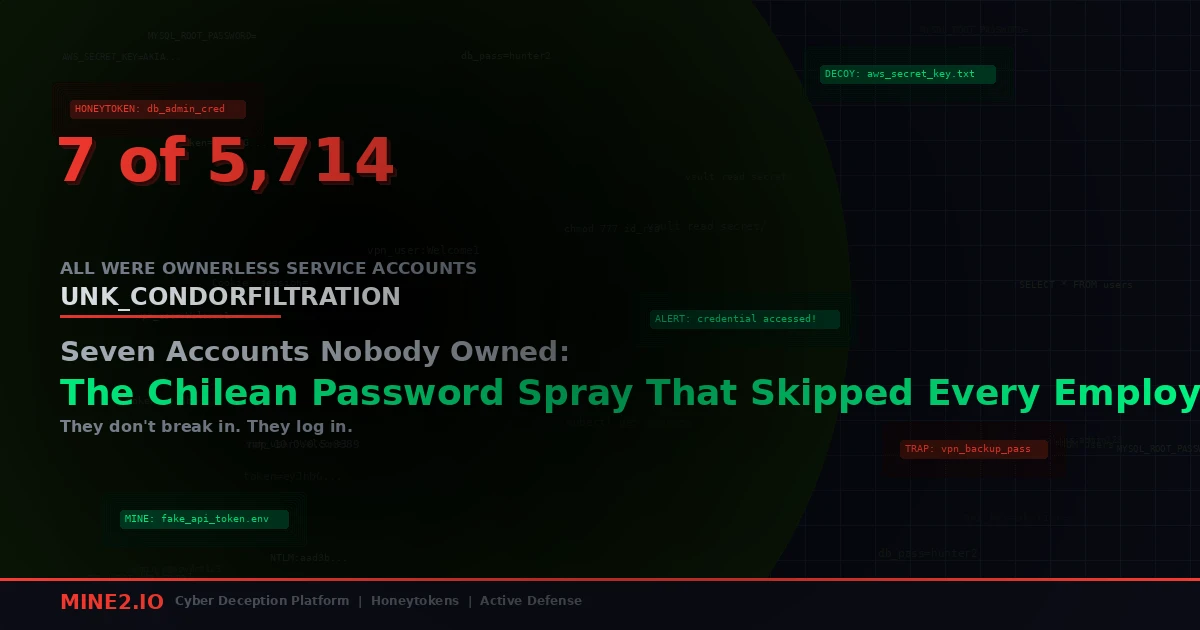
32,825 login attempts. 5,714 accounts. 28 Microsoft 365 tenants. Seven successful logins, and not one of them belonged to a human being.
That's the headline number from "Spraying in the Andes," a Proofpoint Threat Insight post published on September 22, 2026 by researcher Pavel Asinovsky. Proofpoint tracks the operator as UNK_CondorFiltration, and the campaign ran in three waves between late July and mid-August against Chilean banks and one large Chilean retailer. The tool was TeamFiltration, the open-source framework for enumerating, spraying, exfiltrating from and backdooring Entra ID accounts.
I've read a lot of password spray write-ups. Most of them end with "enforce MFA" and move on. This one deserves more attention, because the result tells you exactly where your identity program stops: at the accounts no one logs into.
The numbers, checked
Proofpoint's figures were repeated by The Hacker News on September 24 and Cyber Security News on September 30, and they line up:
- Three waves. July 21 to 24 hit two major Chilean banks at roughly 100 to 120 accounts a day. July 26 to 28 peaked at about 1,520 accounts on July 27 against another financial institution. August 13 to 16 peaked at about 1,560 accounts on August 15 against a major retailer.
- The retailer took the brunt. 25,715 of the 32,825 authentication events, or 78.3%, landed on that one tenant.
- 1,487 unique source IPs, all AWS EC2, mostly in 3.101.0.0/16, 18.144.76.0/24 and 13.52.201.0/24.
- Seven compromises, zero employee accounts. Every one was an unmanaged functional or service account: the kind provisioned for payment processing, ticketing or point-of-sale integrations. None had MFA. None had any prior legitimate sign-in in the logs Proofpoint reviewed.
- Six of the seven fell inside seven minutes, which Proofpoint reads as a shared default password from a provisioning process, not six separate lucky guesses.
Proofpoint's own summary is blunt: "Every confirmed compromise traced back to the same likely root cause: a default password on a forgotten account."
26 minutes from guess to Graph token
The most useful part of the report is the sign-in timeline for one compromised account. I'll paraphrase it, because each line is a detection you could have written.
18:41:41 UTC. Successful sign-in to Microsoft Teams from 3.101.157.240, an AWS address. User agent: Teams/1.3.00.30866 Chrome/80.0.3987.165 Electron/8.5.1. That's TeamFiltration's hardcoded string, the same one Proofpoint flagged in its 2025 UNK_SneakyStrike research.
18:42:30. 49 seconds later, the same account shows up from 149.88.104.19, a German VPN exit on CDN77 infrastructure, trying the corporate VPN portal. MFA blocks it.
18:43:29. Azure Portal. Because the account had never registered MFA, Entra serves an enrollment prompt.
19:03:59. OfficeHome, the Microsoft 365 landing page.
19:07:23 and 19:07:35. SharePoint Online, then a Microsoft Graph token request through the SharePoint web client.
Some secondary coverage gives the VPN switch as 90 seconds or "within two minutes." Proofpoint's table says 49 seconds, and that's the figure I'd trust.
Two things jump out at me from that timeline.
First, the operator moved off AWS almost immediately. The spray infrastructure is disposable and noisy; the interactive session runs from somewhere quieter. If your only detection keys on the spray ASN, you lose the thread at 18:42.
Second, look at 18:43:29. An account with no MFA method registered was handed an enrollment prompt by Azure. Proofpoint doesn't say the actor completed it, and I won't claim they did. But think about what that prompt means for a service account. The first person to answer it decides whose phone or authenticator becomes the second factor. On an ownerless account, that's whoever got the password first. "We'll enforce MFA registration" is not a control on an account nobody is going to register.
Three lessons people will take from this, and why they're incomplete
"Just put MFA on everything"
Correct, and it would have stopped this. It's also the advice every organization in that tenant list already had on a slide. The reason those seven accounts had no MFA isn't negligence about MFA; it's that they were service accounts behind integrations that break when a prompt appears. Somebody excluded them from a Conditional Access policy two years ago to stop a POS sync from failing at 3 a.m., and the exclusion outlived the person who made it.
The honest fix is to stop using user accounts as service identities at all: workload identities, managed identities, certificate-bound service principals. Where you can't, you need a compensating control that doesn't depend on a prompt. Named-location restrictions help. So does knowing the account exists, which brings me to the next one.
"Run an identity inventory"
Also correct, and also the step that never finishes. Unit 42's 2026 Global Incident Response Report says identity weaknesses played a role in nearly 90% of its investigations, and its analysis of more than 680,000 cloud identities found 99% of users, roles and services carried excessive permissions, some unused for 60 days or more. Inventories exist. They just don't keep up with the rate at which integrations, vendors and projects mint new accounts.
We've written about the same failure from the other side: in Storm-3168's run on Azure service principals, the secret sat in a GitHub edit history. In that case and this one, the identity was real, privileged and unwatched. An inventory tells you what existed on the day you ran it.
"Tune your spray detection"
Spray detection is worth having, and Entra ID Protection will flag plenty of this. But look at the shape of the campaign. 32,825 events spread over 1,487 IPs and roughly three weeks. On the busiest days, about 1,500 accounts. Spread across 28 tenants, a single SOC sees a slice. We covered how attackers deliberately size their activity to sit under thresholds in the passkey rollout phishing wave, and spray operators have been doing the same for years.
Detection on failures is a volume game. Detection on the one success is not.
The accounts were already decoys. Nobody wired the alarm.
This is the part I keep coming back to.
Read Proofpoint's description of the seven victims again: no owner, no MFA, no prior legitimate sign-in. That is, almost word for word, the spec for a honeytoken account. A credential that exists in the directory, looks plausible, and that no legitimate process ever uses. The only difference between those seven accounts and a deception asset is that a deception asset has a tripwire on it.
When I build detections for dormant accounts, the logic I want is almost embarrassingly simple: any successful authentication to an identity with no baseline is a high-fidelity alert. Not anomalous. Not risky. Just wrong. No model training, no tuning period, no threshold for an attacker to hide under. The first success is the signal.
The problem is that most teams can't write that rule against real service accounts, because they don't trust that the account is truly unused. Maybe a quarterly job touches it. Maybe the vendor logs in once a year to update a firmware feed. So the rule gets scoped down, or suppressed, or never written.
That's the argument for planting accounts you know are unused. A decoy service account with a name that fits your naming convention (svc-pos-sync-cl02, ticketing-int, whatever your real ones look like), a believable description, a deliberately guessable password, and zero legitimate consumers. Put it in the same OUs and groups a sprayer would enumerate. When TeamFiltration walks the tenant, it finds your decoy alongside the forgotten real ones. Because it's a sprayer, it tries the same default passwords against all of them.
If the decoy gets hit first, you get the alert at 18:41:41, not when a retailer notices odd SharePoint access a week later. If a real forgotten account falls in the same minute, you're already looking at the right IP, the right user agent and the right time window. Six of the seven real compromises landed within seven minutes of each other. A decoy in that population would have lit up inside the same burst.
There's an edge case worth flagging here. TeamFiltration and its relatives can be told to skip accounts. Last month we looked at BigBear 2.0's canary-blocking code, which tries to recognize and avoid known canary tokens. The defence is the same one I'd give for any decoy: don't let it look like a product default. Use your own naming, your own descriptions, your own group memberships. A sprayer can avoid a known canary pattern. It can't avoid an account that is indistinguishable from the forgotten ones it's actually hunting for, because those are the whole point of the spray.
What I'd check in your tenant this week
You don't need a project plan to start on this. You need a few queries and an afternoon.
-
Find accounts with no interactive sign-in history that are still enabled. In Entra, filter on
signInActivityfor accounts with null or very old last sign-in dates. Then sort by group membership and license. Anything licensed for Teams, SharePoint or Exchange with no sign-in history is exactly the target profile from this campaign. -
List every Conditional Access exclusion. Excluded users and excluded groups, with the date and ticket that justified each. In my experience the exclusion list is where service accounts go to be forgotten. If an exclusion has no named owner, treat the account as compromised until proven otherwise and rotate it.
-
Hunt for the user agent. Search sign-in logs for
Teams/1.3.00.30866andElectron/8.5.1. Real Teams clients don't report Chrome 80 in 2026. A hit, success or failure, means TeamFiltration touched your tenant. -
Alert on first-ever success for dormant identities. Write the rule even if you have to scope it to a few accounts you're confident about. Then add decoys so the rule has something it can fire on with zero ambiguity.
-
Check for MFA methods registered recently on service accounts. Given the 18:43 enrollment prompt in Proofpoint's timeline, any new authenticator on an account that has never had one should be reviewed by a human the same day.
-
Look at the default password in your provisioning runbook. Six accounts falling in seven minutes means one password. Somewhere in that organization there's a document, a script or a ticket template with it written down. Yours probably has one too. Change the process so every new account gets a unique random secret, and so the hardening baseline in M2 Fortify or whatever you use flags accounts that still carry the provisioning default.
Why this one stuck with me
Password spraying is old. TeamFiltration has been public since 2022, and Proofpoint already tied it to UNK_SneakyStrike in 2025. Nothing about UNK_CondorFiltration is technically new.
What's new is how clean the outcome is. Thousands of employee accounts, protected by MFA and lockout policy and user training, held. The seven that fell were the ones with no human attached to them. That's not bad luck. It's a map of where identity programs stop paying attention, drawn by an attacker for free.
The good news is that the same property that made those accounts easy to break makes them easy to watch. An account that should never log in gives you a perfect signal the moment it does, as long as you've decided ahead of time that it's an alarm and not an anomaly. If you'd like to see what a decoy service account looks like sitting next to your real ones in Entra, and what the alert looks like when a sprayer finds it, book a Mine2 demo and we'll walk through it on a tenant shaped like yours.
Arjun
Lead Detection Engineer, Mine2
Arjun builds detection logic at Mine2, focusing on the blind spots EDR and SIEM leave behind and how honeytokens close them.
Latest Articles
'Engage With Us, or We Will Leak It': The ASOS Breach Arrived Through Its Own App
Vouched For by a Stranger: How a Lenovo ID Flaw Opened 5,000 Dropbox Accounts
The Committee That Didn't Exist: TA419's AI Policy Lure and the Kit That Clicks 'Stay Signed In' for You
One Minute to a Second Visitor: The Viva Aerobus-Linked Loot Server and the SQL Logins It Was Mapping
Need Security Help?
Protect your organization with MINE2's cyber deception platform.