Every security awareness deck I have ever sat through has the same slide. Check the URL. Look for the padlock. Hover before you click. It is the single most repeated piece of guidance in our industry, and for a large class of attack it still works.
RecruitTrap breaks it completely.
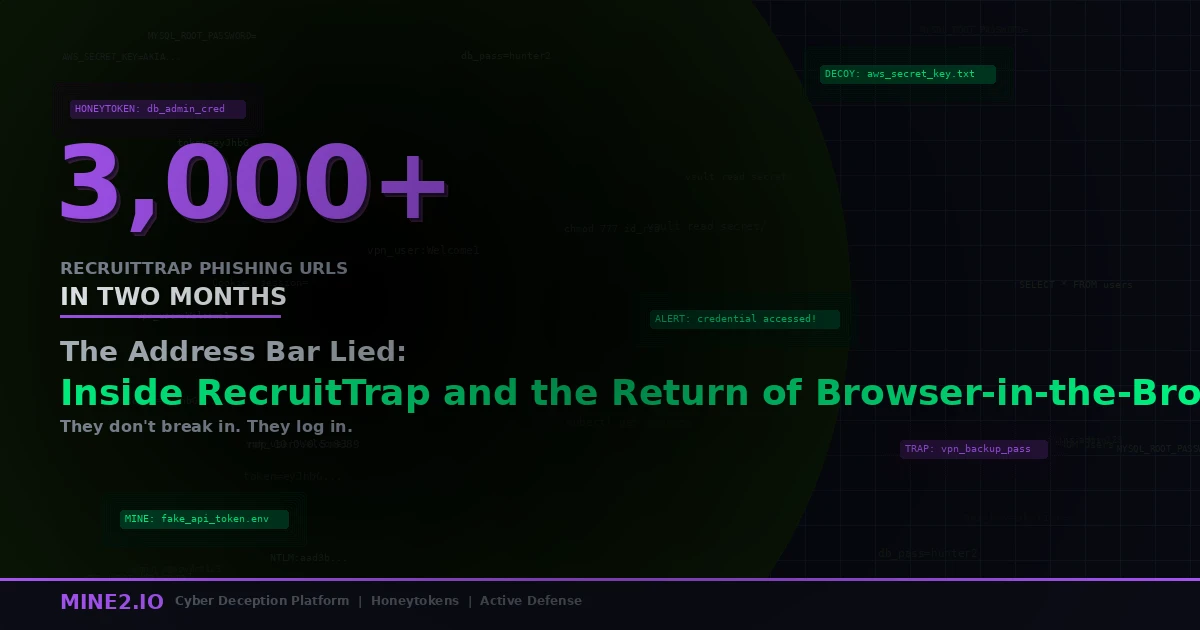
CTM360 published its analysis of the campaign this month after tracking more than 3,000 phishing URLs across a two-month window. The operators impersonated real recruiters and real hiring processes tied to over 50 organizations spanning 14 sectors. About 96 percent of the identified URLs were built around a counterfeit Calendly interview-scheduling page. Behind those pages sat 813 deduplicated domains and 116 unique hosts serving brand-specific recruitment portals, with 50.9 percent of the dedicated hosts running on AWS EC2 and the front end fronted by Cloudflare to hide origin infrastructure. The domain mix tells you how cheap this was to run: 40 percent on .cfd, then .com at 25.1 percent, .info at 15.1 percent, .works at 10.5 percent and .work at 6.3 percent.
Recruitment, technology, luxury goods and travel brands made up roughly 58 percent of the impersonations. And the people getting hit were not the ones your threat model expects.
A four-year-old proof of concept finally went industrial
The technique at the center of this is Browser-in-the-Browser, and it is not new. Security researcher mr.d0x published it on March 15, 2022, with a stated goal that reads almost like a dare: find a way to make "check the URL" less reliable.
The method is embarrassingly simple. When you click "Continue with Google," a real browser spawns a real popup window with a real address bar showing a real accounts.google.com. BitB draws that window instead. HTML and CSS reproduce the chrome, the title bar, the padlock glyph and the domain text, pixel for pixel, inside the attacker's page. An iframe fills the body with the credential form. There is no popup. There is a picture of a popup, and the URL it displays is a string the attacker typed.
Drag the window past the edge of the parent page and it clips, because it is a div. That is the tell. Nobody drags login popups.
What took four years was not the technique. It was packaging. mr.d0x released templates for Chrome on Windows and Mac in light and dark mode, and for a long while BitB stayed a red-team curiosity because the fake window had to match the victim's exact browser and OS to hold up. RecruitTrap's operators solved that the way phishing kits always solve things eventually: they built the detection into the page and served the matching template. Combine that with a lure nobody questions, and you have a commodity campaign.
Why marketing, and not finance
Here is the part of the CTM360 data I keep coming back to. Marketing professionals made up the majority of observed targets, and the kit filtered specifically for corporate email accounts.
That is a deliberate choice, and it is a smart one. Most identity security programs are built around a mental model where the crown jewels sit with finance, engineering and IT admins. Those are the accounts that get conditional access policies, hardware keys, privileged access reviews and quarterly recertification. A marketing manager gets a license, an SSO tile and a phishing simulation twice a year.
Now look at what that account actually controls. Google Workspace identity, which in most companies is the enterprise IdP. Facebook Business Manager and the ad account attached to it, with a payment method on file. Corporate social profiles with follower counts in the hundreds of thousands. Customer lists in the marketing automation platform. Access to the CMS that publishes to your own domain.
An attacker who owns your marketing lead does not need to move laterally to monetize. They can burn your ad budget on malvertising the same afternoon, and the malvertising will be served from a verified business account with your logo on it. Push Security, which has been tracking a closely related Calendly-themed operation, reached the same conclusion about ad-account targeting from an entirely separate data set.
The lesson is not "train marketing harder." It is that role-based risk tiering has been calibrated on org charts rather than on what each identity can actually reach. Non-privileged is not the same thing as low-impact, and we made that mistake with service identities too, which I wrote about in why non-human identities are the biggest blind spot in enterprise security.
MFA is present, and it does not matter
RecruitTrap relays. The victim types the password into the drawn window, the backend replays it against the real Google or Facebook endpoint in real time, the genuine MFA challenge fires, the victim approves it on their phone because they just clicked a login button and are expecting exactly this prompt, and the operator lands a valid session.
This is adversary-in-the-middle mechanics wearing a better costume. Microsoft has reported a 146 percent rise in AiTM attacks year over year, and KnowBe4 has tracked session-token-stealing kits up 139 percent in six months. Microsoft says it blocked roughly 8.3 billion email-based phishing threats in the first quarter of 2026 alone. Cyber Security News logged 7,295 phishing-as-a-service kit uploads in the single week of July 20 to 26, 2026, dominated by AiTM kits and OAuth device-code abuse targeting Microsoft 365 identities.
From the identity provider's perspective, a successful RecruitTrap login is a correct password followed by a satisfied MFA factor. If the operator proxies from a plausible geography, the risk score stays flat. This is the same structural problem behind the LSHIY ROPC campaign that walked past Conditional Access and the device code phishing wave that hit 340-plus Microsoft 365 orgs. Different entry technique, identical end state: a session that authentication controls have already blessed.
Okta Threat Intelligence has been publishing advisories on fake-recruiter phishing since late 2025. Two vendors, two telemetry sources, one conclusion. This is not a boutique operation.
The indicators are worthless by design
The detail from Push Security's research that should worry any team leaning on threat feeds: their tracked variant used a domain allowlist. The password field only rendered if the visitor's email domain was on the operator's target list. Everyone else got a dead page. The kit also blocked VPN and proxy ranges and refused to load with developer tools open.
So the analyst investigating the reported URL sees a blank scheduling page. The sandbox sees nothing. The URL scanner sees nothing. Meanwhile the actual target, on a corporate IP with a corporate email, gets the full weapon.
Push Security found just 31 unique URLs over more than two years for their variant, against CTM360's 3,000-plus in two months. Those numbers are not in conflict. They are measuring different rotation strategies, and both make the same point: domains spin up and disappear fast enough that indicator-of-compromise sharing arrives after the campaign has moved on. You can block all 813 domains CTM360 published and be no safer on Tuesday.
Detection that depends on recognizing the attacker's infrastructure is losing a race it cannot win. Detection that depends on recognizing the attacker's behavior after success is on much firmer ground, because the behavior is the point of the attack and cannot be rotated away.
What a planted credential does in this flow
This is where deception stops being a philosophy and becomes plumbing.
Consider a Google Workspace account that exists in your tenant, appears in the directory, has a plausible name and a marketing-sounding title, and is never used by a human being. Its password sits in the browser password manager on a handful of real endpoints and in the shared vault entry that a real marketing team would plausibly have. Nobody logs into it. Ever. That is the entire specification.
Now run RecruitTrap against your org. The operator gets a set of harvested credentials, and somewhere in that set is one that was placed there specifically to be stolen. The moment they relay it, you get an authentication event on an identity with a usage baseline of exactly zero. There is no "is this anomalous" question to answer. There is no risk score to tune. Any use at all is the alert.
That property, and not the cleverness of the lure, is why I keep pushing honeytokens as an insider and credential-theft tripwire over yet another behavioral analytics layer. Baseline-driven detection has to decide whether unusual is malicious. A decoy identity skips the decision. The zero-false-positive claim in Mine2's deception products is not marketing spin about better tuning. It falls out of the design: an asset with no legitimate use has no benign trigger to confuse.
The same logic covers the aftermath. When TheHatman dumped 3.6 million Entra directory records without exploiting a single vulnerability, the directory enumeration itself was the first observable act. Decoy identities sitting in that directory make enumeration noisy in a way that ordinary accounts never can.
One honest caveat, because I would rather say it than have you discover it: a decoy credential in a password manager catches the operator who harvests and replays. It does not catch the operator who lands a session token and never touches the password again. Cover both. Put decoys where credentials are stored and where a session with those permissions would go next, which is your ad platform, your CMS and your file shares.
What actually holds
Phishing-resistant MFA is the real fix for BitB, and I want to be precise about why. FIDO2 and passkeys bind the assertion to the origin, cryptographically. A drawn address bar saying accounts.google.com does not change the origin the authenticator sees, so the relay fails. This is not a better filter. It is a different physics.
Deploy it for marketing and comms teams, not just admins. That is the whole argument of this post in one sentence.
Two things to pair with it. First, watch for the gap period: partial passkey rollouts usually leave a password fallback path, and attackers will find it before your project plan closes it. Second, note that researchers this month published work on recovering synced passkey private keys, so treat "phishing-resistant" as strong rather than absolute and keep detection under it.
Beyond that: alert on OAuth grants to newly registered applications, review Facebook Business Manager and ad-account admin lists on a schedule the way you review domain admins, and retire the "check the URL" line from your training. Replace it with something true. Real login windows come from clicking a button you initiated, and if a login window ever appears inside a page you did not expect, close the tab and navigate to the service yourself.
The attackers running RecruitTrap did not defeat your controls. They defeated a heuristic we taught two billion people, and they did it with a CSS file. If you want to see what a decoy identity looks like the instant a relayed credential touches it, book a walkthrough with our team and bring your own scenario.
Neha
Cloud Security Architect, Mine2
Neha works on cloud and identity security at Mine2, covering SaaS, OAuth, and the credential-theft paths attackers favour in the cloud.
Latest Articles
Vouched For by a Stranger: How a Lenovo ID Flaw Opened 5,000 Dropbox Accounts
The Committee That Didn't Exist: TA419's AI Policy Lure and the Kit That Clicks 'Stay Signed In' for You
One Minute to a Second Visitor: The Viva Aerobus-Linked Loot Server and the SQL Logins It Was Mapping
The Agent Took the Help Desk: Zammad's Zero-Days and the Breach of the People Who Report Breaches
Need Security Help?
Protect your organization with MINE2's cyber deception platform.